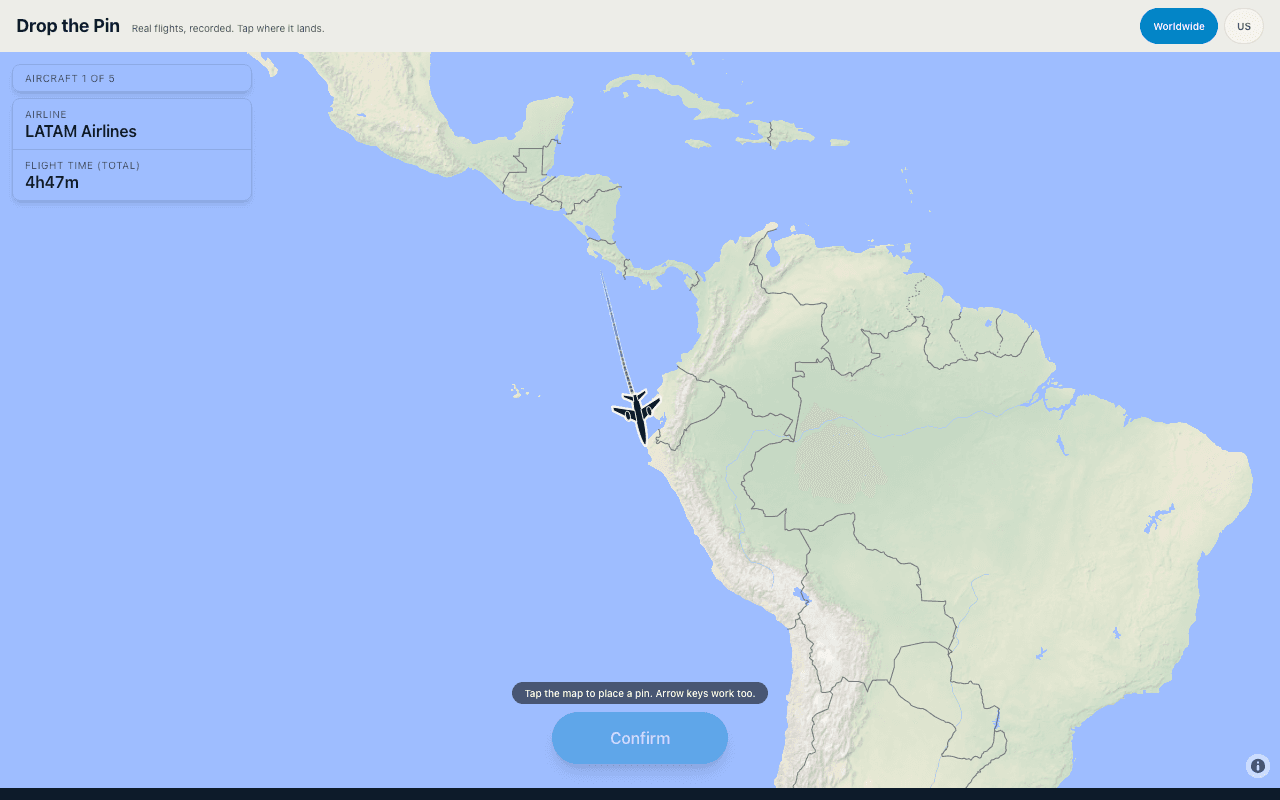
Place and adjust your landing pin
A landing round hides the destination but shows where the flight departed, which airline operated it, and the total flight time. The aircraft appears partway along its real track. Use those clues together, tap the map, and move the pin if you want to refine the answer before confirming. Vector then reveals the destination and measures the distance from your pin.
Read the airline and flight-time clues together
The airline narrows the network while the departure airport supplies the starting point. Flight time gives you a rough range, but it includes climb, descent, and routing, so it is not a perfect radius. A carrier's hubs and likely nonstop destinations are usually more useful than simply extending the visible track in a straight line.
Real tracks make every route different
Vector uses recorded flights rather than simulated straight lines. Long routes bend on a flat world map, aircraft follow airways, and weather or airspace can shift a track. That makes the line already flown evidence, not a guaranteed arrow to the destination. If you prefer identifying a complete route from text clues, try the flight guesser.
Vector is a puzzle, not a tracker or simulator
A flight tracker tells you where a current aircraft is, while a flight simulator asks you to control one. Vector does neither: it turns completed recorded tracks into daily questions. Landing rounds ask where a flight arrived; in-flight rounds give both endpoints and an elapsed time, then ask where the aircraft was. Five rounds mix both skills.